Every surface, in detail.
Idemora isn't three tools stitched together. It's one local-first app where notes, calendar, and goals actually talk to each other.
AI Action Layer
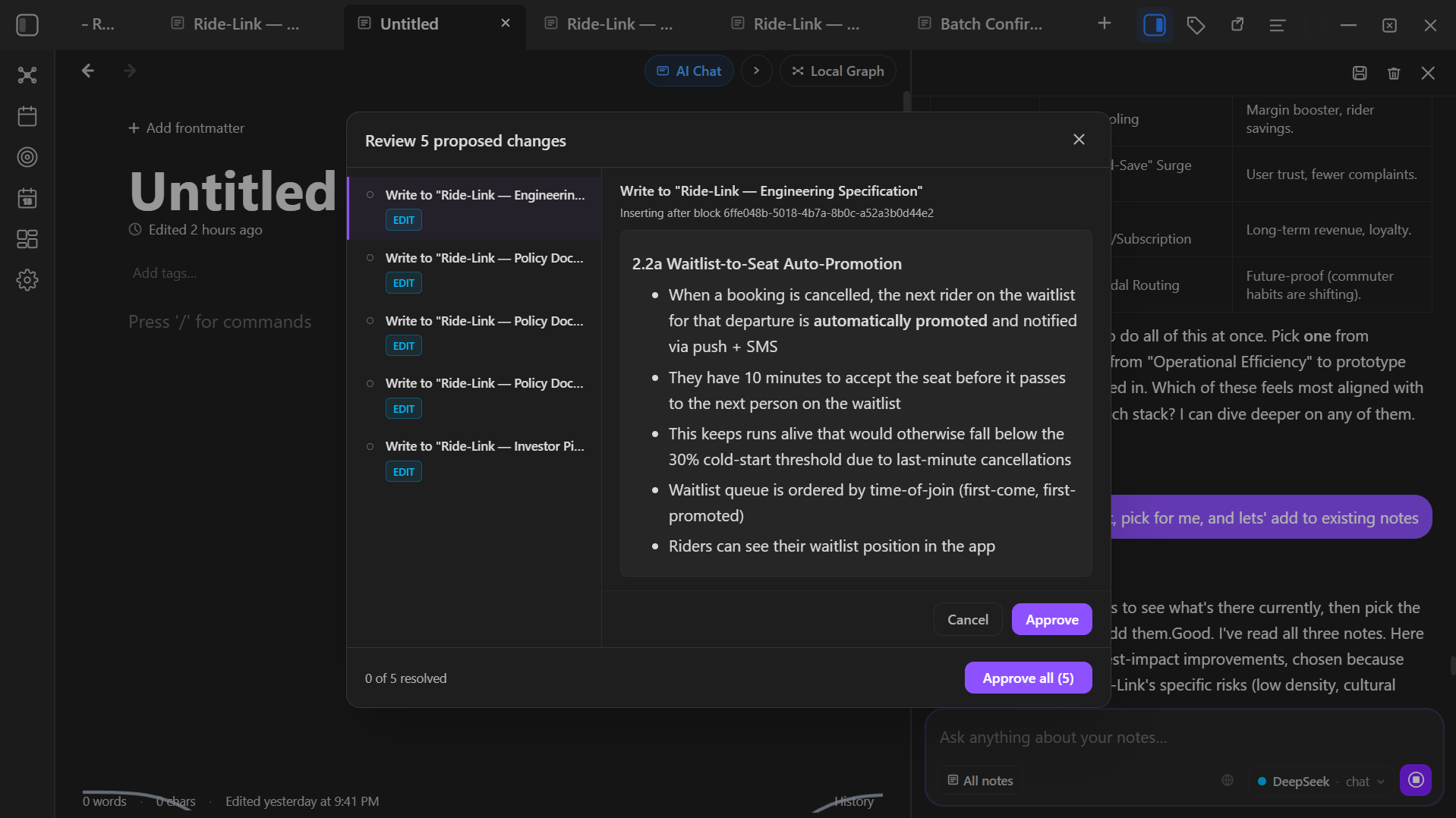
- Full read + write access
- The AI assistant reads, searches, and writes to your notes on command — not just answers questions about them.
- Note operations
- Create, rename, edit, and move notes from the chat panel.
- Block-level precision
- Insert or replace specific blocks inside a note, rather than rewriting the whole thing.
- Calendar control
- Create, update, and delete calendar events from chat.
- Goal management
- Create goals and update milestones directly from chat.
- Confirmation gate
- Every write action shows a preview before it runs. Nothing is applied without your approval.
- Your own API key
- AI features use a key you provide. Nothing is sent to any third party without your explicit instruction.
Notes
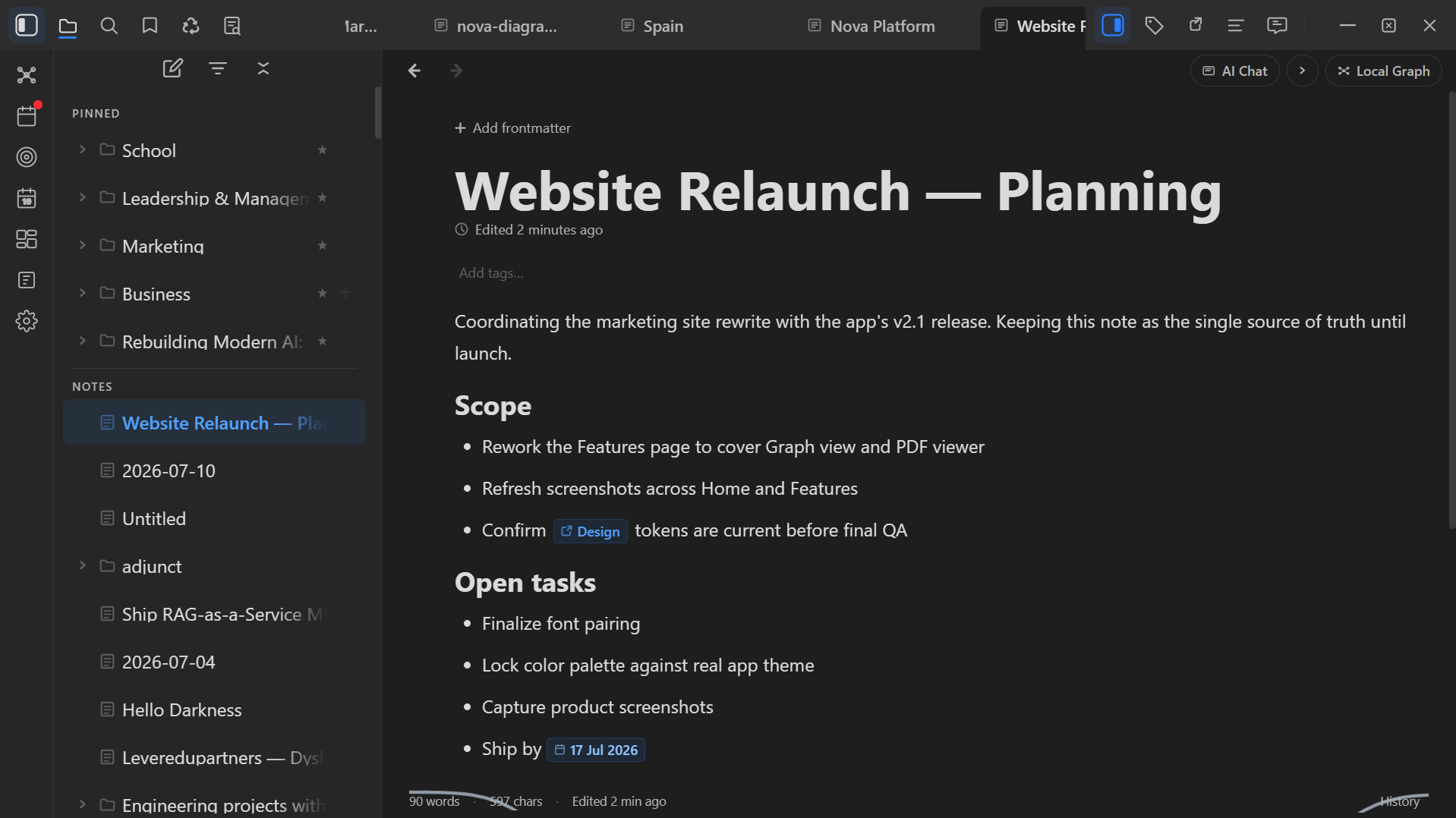
- Local-first architecture
- All data stored in SQLite on your machine. No signup, no cloud, no vendor lock-in.
- Rich text editor powered by TipTap
- Block-level editing — headings, paragraphs, lists, code blocks, task checkboxes, tables. Drag-and-drop blocks. Subpages for nested note hierarchies.
- Mention-map linking
- Type @ followed by a note title to create an inline link. Idemora auto-maintains a mention map — no manual backlinking effort.
- DOCX import/export
- Open and save .docx files. Work in your local Markdown-first editor, then export for submission.
- Full-text search
- Instant search across all notes using SQLite FTS.
Calendar
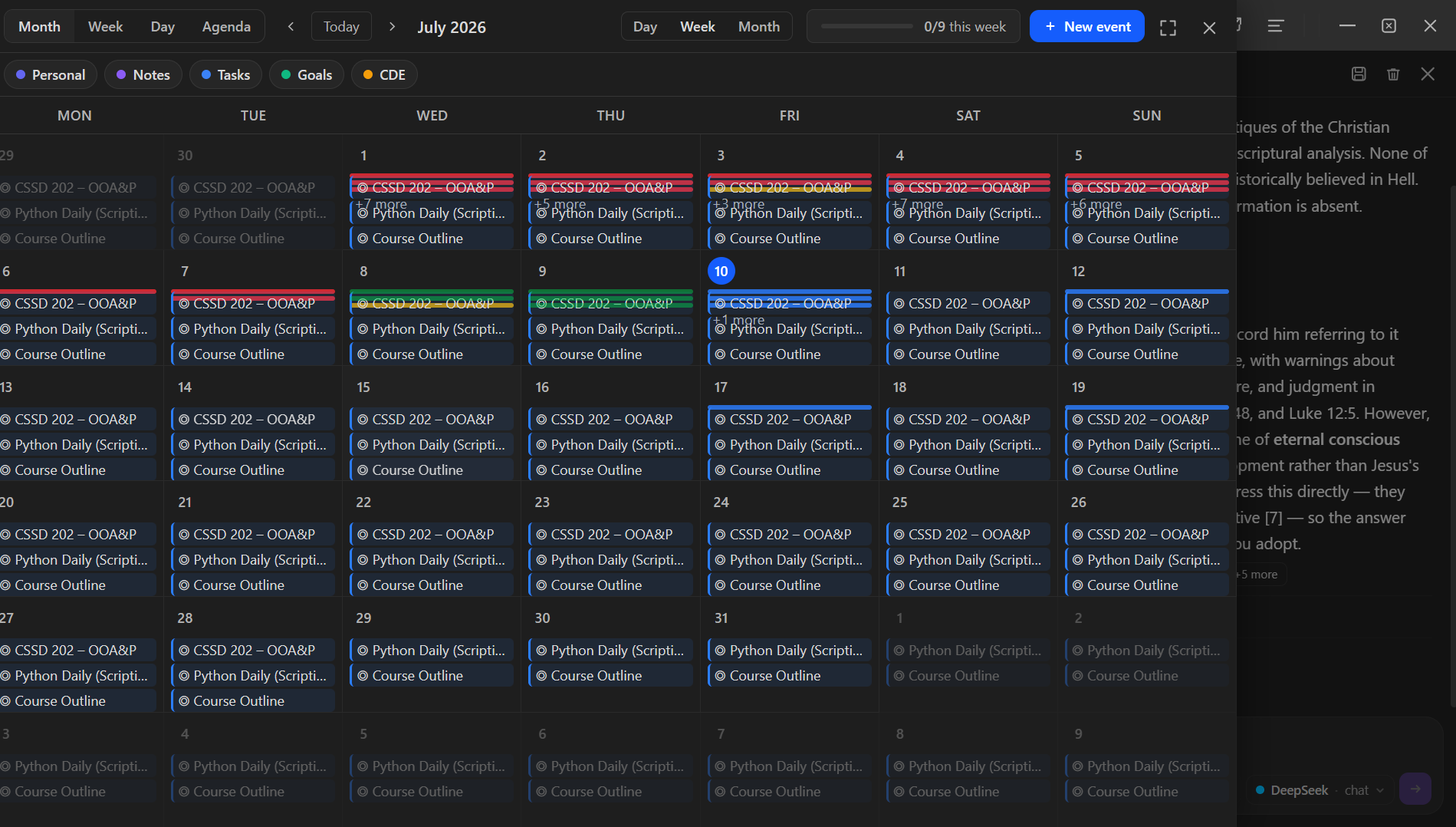
- Four view modes
- Agenda (flat list), Day, Week, Month grid — switch freely.
- Layers
- Personal | Notes | Tasks | Goals | CDE — toggle layers independently to focus on what matters.
- Personal events
- Create, edit, delete. Title, date, time, duration, notes. Colour states: blue (scheduled), green (done), yellow (overdue), red (missed).
- @date chips in notes
- Type @tomorrow, @next friday, or @2026-06-01 in any note — Idemora creates a styled inline chip and registers a calendar event linked to that note.
- Task → calendar sync
- Drop a @date chip inside a task checkbox. Checking the box turns the calendar event green automatically.
- Goal milestones on calendar
- Milestones appear as point events. Goal banners span their date range on Month/Week views.
- Daily Score widget
- A circular SVG ring in the top-right corner showing today's completion fraction. Updates in real time as you check things off.
- Midnight transitions
- Overdue events auto-transition to yellow overnight. Resolve as done or missed each morning.
- Recurrence
- Daily, weekly, or monthly repeating events with end-date control. Edit one occurrence, all future, or the whole series.
- Anti-gaming
- Deleting an event on its due date still counts it as missed — prevents score manipulation.
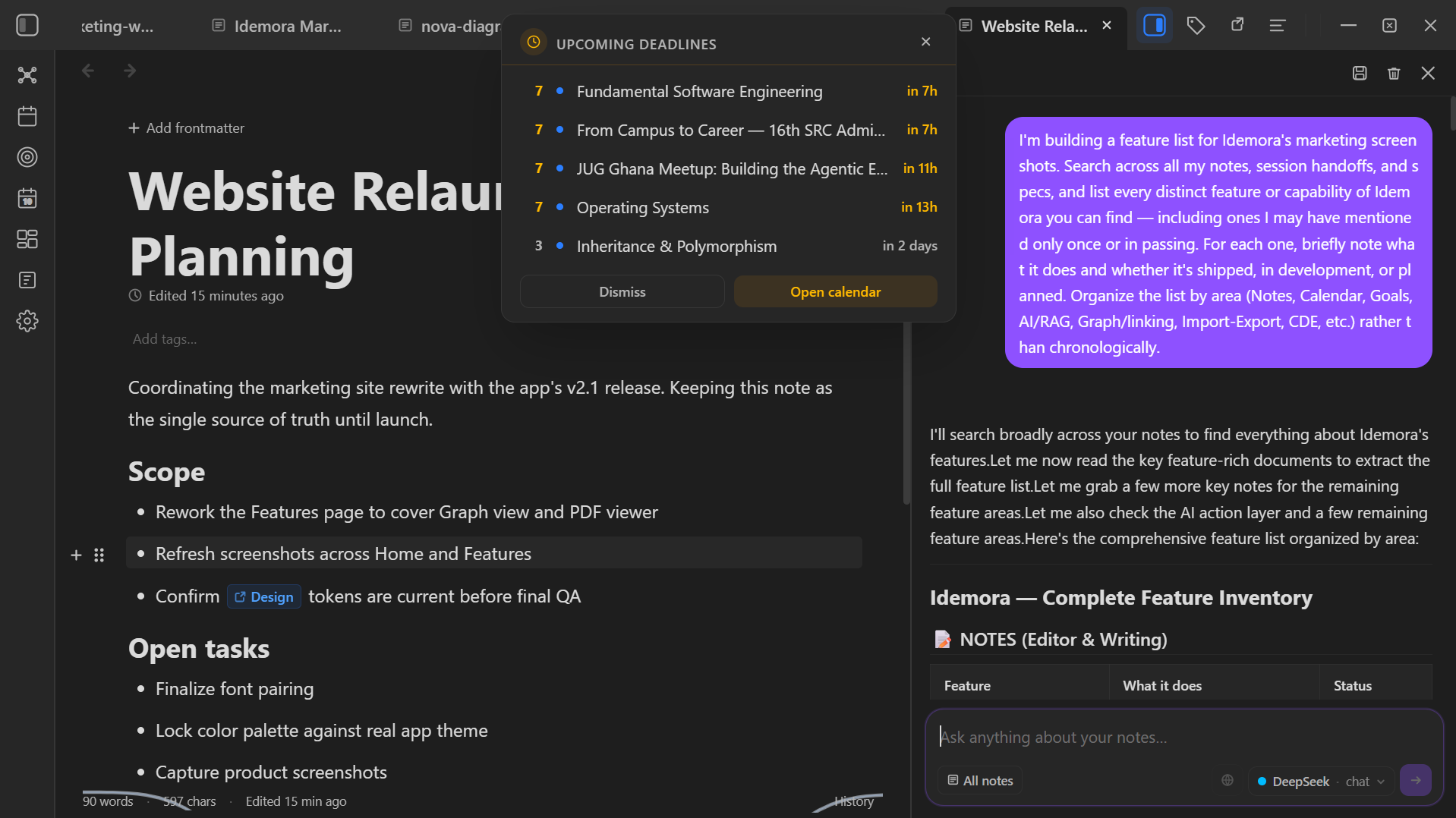
Upcoming Deadlines, the moment you open the app
A single modal surfaces what actually needs your attention next — pulled live from your notes, calendar, and goals, not just one of them. No digging across three views to figure out what's due.
Goals
- Full CRUD
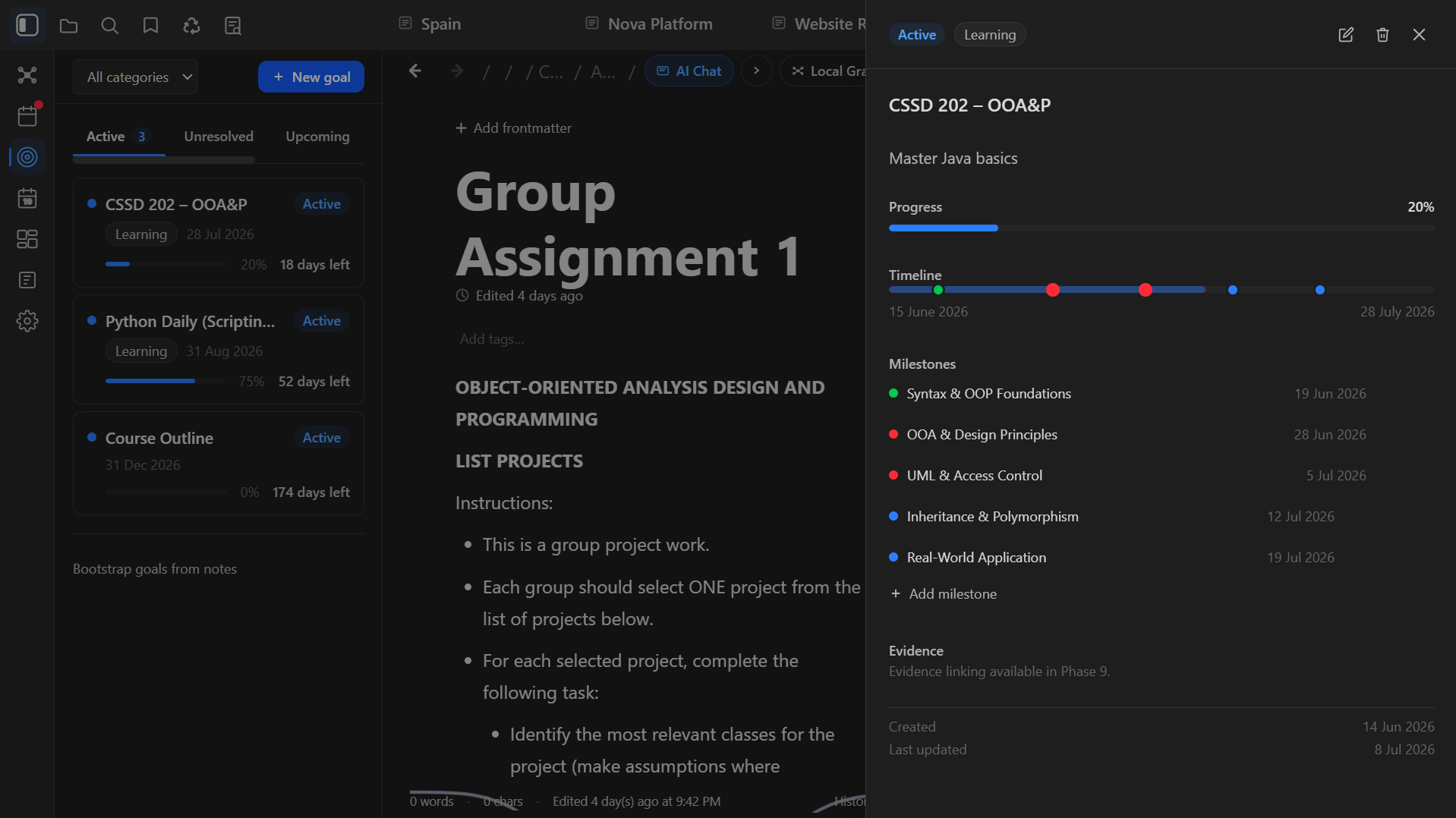
- Create goals with title, description, start/target dates, category, milestones.
- Status sections
- Active | Upcoming | Completed | Missed | Unresolved — auto-sorted by date and colour state.
- Evidence linking
- Link notes and task checkboxes as proof of progress. Weight each piece of evidence to reflect its importance.
- Automatic progress computation
- Progress = verified evidence weight / total evidence weight. Hits 100%? Goal turns green automatically.
- Milestones as calendar events
- Every milestone appears on your calendar on its date.
- Frontmatter bootstrap
- Notes with date + status frontmatter fields auto-create or link to goals. One-click bootstrap scans all existing notes.
Graph & Linking
- Force-directed graph view
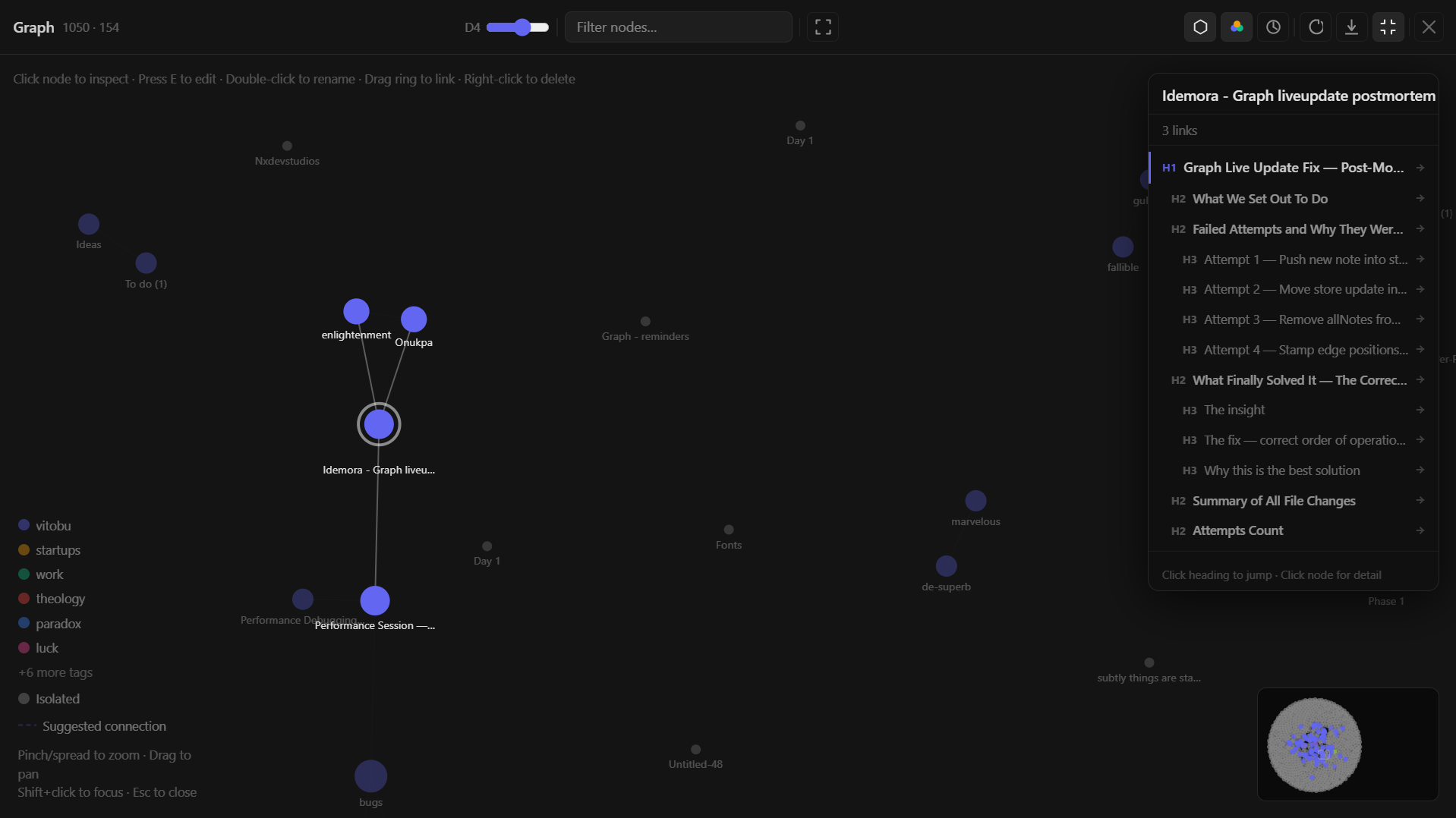
- Every note and every link between them, laid out automatically — a live map of how your thinking actually connects, not a folder tree.
- Hover to preview
- Hover any node to see that note's heading structure without leaving the graph. Click to open it directly in the editor.
- Backlinks panel
- See every note that links to the one you're viewing, automatically maintained — no manual backlinking effort required.
- Search-and-highlight
- Full-text search (SQLite FTS5) reaches into the graph itself — matching notes highlight in place, so you can find a note by content and see exactly where it sits in your vault.
Thought Graph
- A second graph, for reasoning
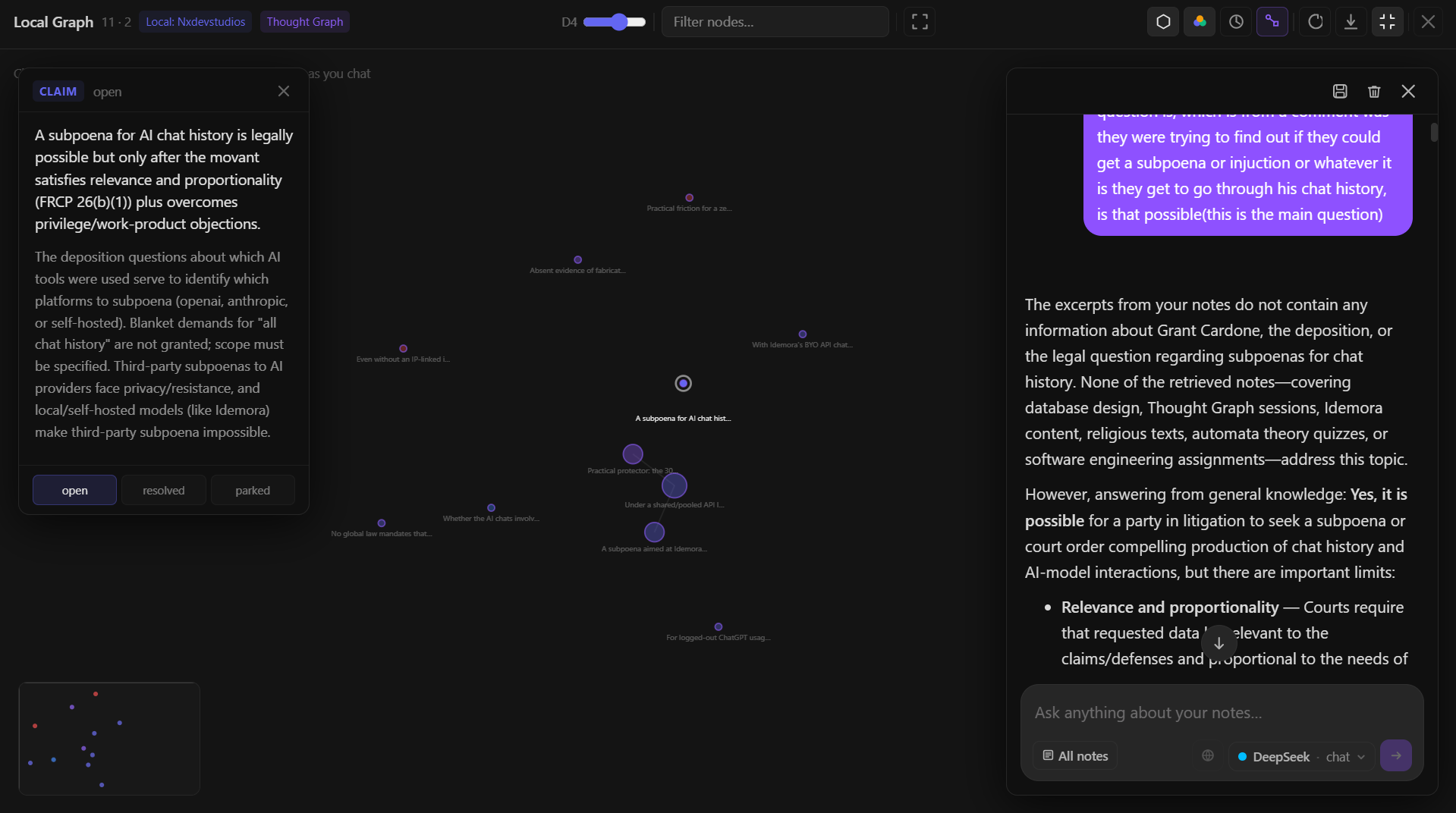
- A separate mode in the Graph Editor that visualizes reasoning — claims, ideas, questions, counterarguments, evidence, assumptions, and conclusions — instead of notes and their links.
- Extracted from conversation
- As you talk through a problem with the AI, it proposes reasoning nodes drawn from its own responses — no manual tagging or note-taking required.
- Confirmation-gated, like every AI write
- Every proposed node goes through the same review-and-approve flow as any other AI action. Nothing lands in the graph without your say-so.
- Connected relationships
- Nodes can be linked to show how one idea supports, challenges, answers, or refines another — not just that they exist.
- State tracking
- Mark a question Resolved once it's answered, or Parked if the conversation moves on, so the graph reflects where your thinking actually stands.
- Persists across sessions
- A note's Thought Graph merges reasoning from every conversation you've had about it, not just the current one — reopen a note days later and the graph is still there.
Search
- Full-text search
- SQLite FTS — fast, offline, local.
- Semantic search (cached)
- Embedding-based search for when exact text matching isn't enough.
Import & Export
- DOCX import
- Open existing .docx files directly in the editor.
- DOCX export
- Save notes as .docx — submission-ready.
- PDF export
- Via the standard print/save workflow.
- PDF viewer with page-aware chat
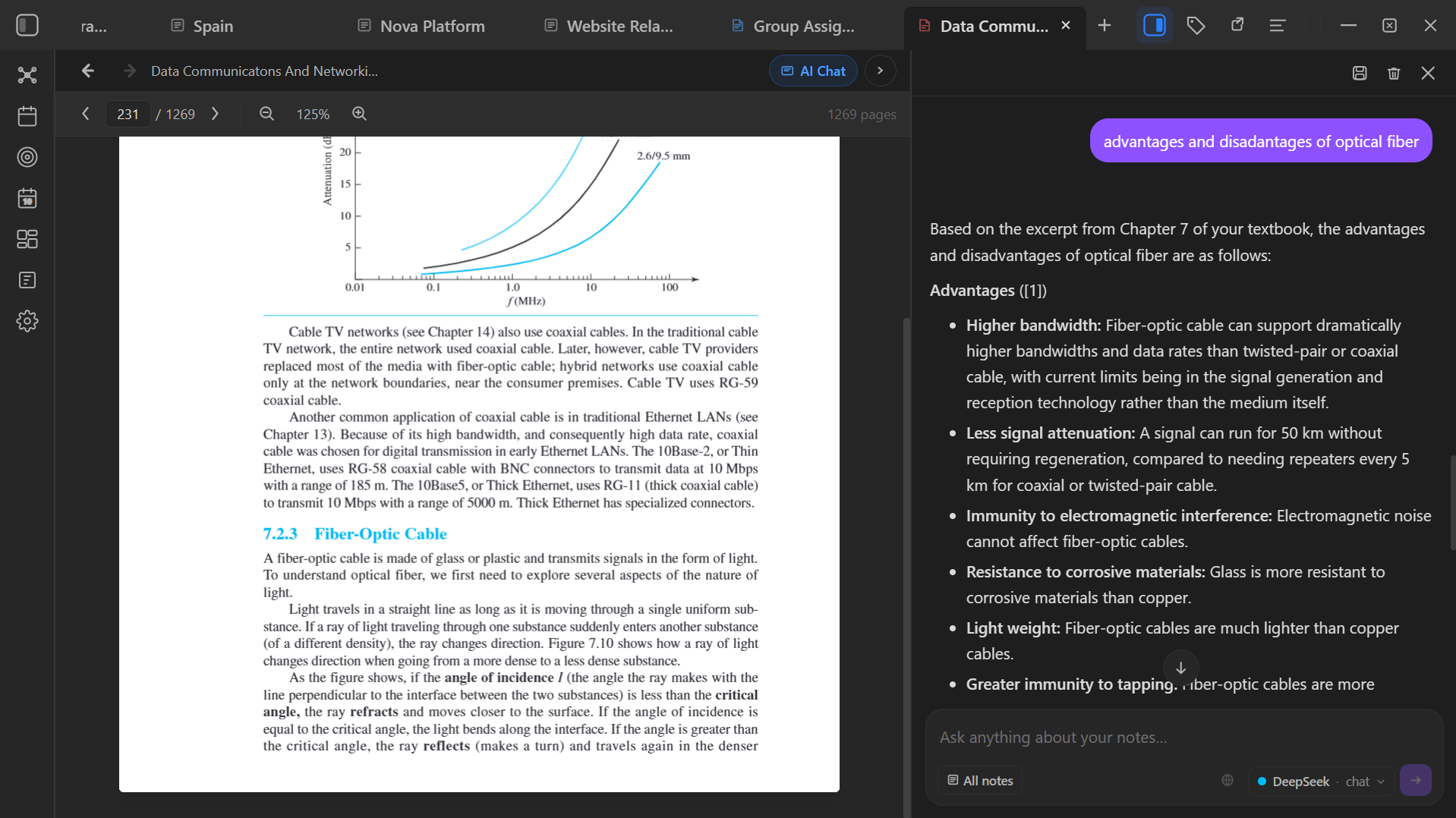
- Read PDFs directly in the app. Ask the AI assistant about what you're reading — it knows which page is open and answers from that context.
- Subpages
- Nested note trees — organize like a file system.
Privacy & Ownership
- Local-first
- Your data lives in a SQLite database on your machine. No cloud, no sync server, no account.
- No telemetry
- The app phones home only to check for updates. No analytics, no tracking, no data collection.
- Your API key, your rules
- AI features use a key you provide. Nothing is sent to any third party without your explicit instruction.